Concepts
This section describes the main concepts used in the Flogo environment.
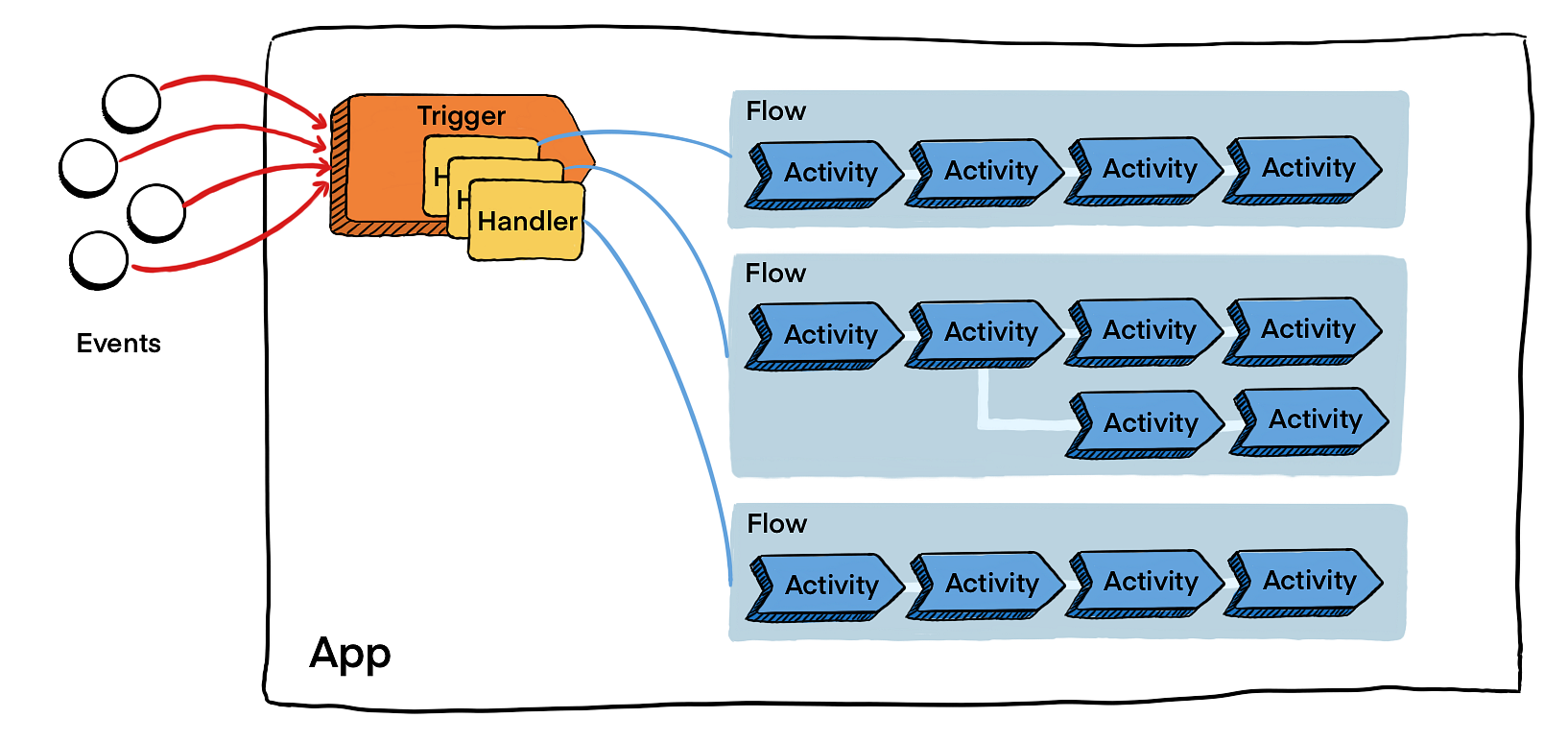
Triggers receive events from external sources such as Apache Kafka®, Salesforce, GraphQL. Handlers residing in the triggers, dispatch events to flows. Flogo provides a set of out-of-the-box triggers. Also provides a range of connectors for receiving events from a variety of external systems.
The Flogo provides a set of actions for processing events in a manner suitable to your implementation logic. The flow allows you to implement the business logic as a process. You can visually design and test the flows using the UI. A flow consists of one or more activities that perform a specific task. Activities are linked to facilitate the flow of data between them and contain conditional logic for branching. Each flow is also connected to a default error handler. A Flogo app can have one or more flows. A flow can be activated by one or more triggers within the app.
Activities perform specific tasks within the flow. A flow typically contains multiple activities.
Connections are used by Flogo to connect with SAAS platforms such as Salesforce.com and Marketo to connect to Flogo.
How Flogo Works
The trigger consists of one or more handlers that serve as the means of communication between the trigger and the flow. When the trigger receives an event, it uses the respective flow handlers to pass the data from the event to the flow in the form of flow input. The business logic in the flow then can use the event data coming in through the flow input. When the trigger expects a reply from the flow, the data from the flow is passed on to the trigger in the form of flow output. A flow can contain one or more conditional branches.
Summary:
- Create an app.
- Create a flow in your app.
- Add one or more activities to the flow and configure them.
- Optionally, add a trigger to your flow. You can add one or more triggers to a flow as and when you need them.
- Push your app.